

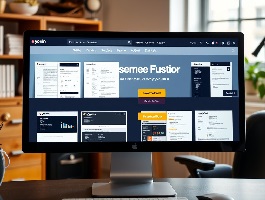
1. Choose a Resume Builder or Template Website
Popular Options:
- Microsoft Office Templates: Offers various free templates that can be downloaded directly.
- Canva: Provides customizable resume templates that can be downloaded in multiple formats.
- Resume.com: Allows you to create and download resumes for free.
- Google Docs: Offers templates accessible through your Google account.
- Hloom: Features a collection of free resume templates in DOCX format.
2. Select a Template
Browse through the available templates on your chosen site. Look for designs that match your industry and personal style.
Consider the layout, color scheme, and overall professionalism of the template.
3. Customize Your Resume
Fill in your personal details, including:
- Contact Information: Name, phone number, email, and address.
- Professional Summary: A brief overview of your qualifications and career goals.
- Work Experience: List job titles, company names, locations, and dates of employment, along with key responsibilities and achievements.
- Education: Include degrees, institutions, and graduation dates.
- Skills: Highlight relevant skills tailored to the job you are applying for.
Make sure to proofread your resume for any spelling or grammatical errors.
4. Download Your Resume
Once you’ve customized your resume:
- Look for a “Download” button or link on the website.
- Choose your preferred format (most sites offer options such as DOCX or PDF).
- Save the file to your computer or device.
5. Print or Share Your Resume
After downloading, you can print your resume or share it directly via email or online job applications.
Best Topics Related to Downloading a Free Resume
- Top Free Resume Builders
- How to Choose the Right Resume Template
- Best Practices for Customizing Your Resume
- Common Resume Mistakes to Avoid
- How to Format Your Resume for ATS
- How to Convert Your Resume to PDF
- Understanding Resume Sections and Their Importance
- Free Resume Resources for Specific Industries
- How to Include References on Your Resume
- Using LinkedIn to Enhance Your Resume
Additional Websites for Free Resumes
- Zety: Offers a resume builder with customizable options (some features may have a fee).
- VisualCV: Provides a free basic plan to create and download resumes.
- Jobscan: Offers templates and tools for optimizing your resume for specific job postings.


