

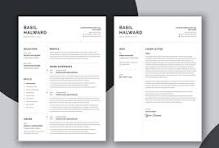
Creating a Standout Resume
Creating a standout resume is essential for catching the attention of employers. Here’s a step-by-step guide to help you craft an effective resume that highlights your qualifications and makes a great first impression.
Step 1: Choose the Right Format
Formatting Tips:
- Reverse Chronological Format: List your most recent experience first.
- Functional Format: Focus on skills and experience rather than chronological work history.
- Combination Format: Mix both chronological and functional formats.
Key Elements:
- Font: Use a clean, professional font (e.g., Arial, Calibri).
- Font Size: 10-12 points for body text, 14-16 points for headings.
- Margins: Use standard 1-inch margins.
- Length: Aim for one page if you have less than 10 years of experience.
Step 2: Write a Strong Header
Include:
- Full Name: Bold and larger than the rest of the text.
- Contact Information: Phone number, professional email, LinkedIn profile.
- Location: City and state (no full address).
Step 3: Craft a Compelling Summary or Objective
- Summary: A brief statement summarizing your experience and skills.
- Objective: Outline your career goals and what you hope to achieve.
Example: Results-driven marketing professional with over 5 years of experience in digital advertising and SEO strategies.
Step 4: Highlight Your Experience
Content Suggestions:
- Job Title, Company Name, Location, Dates of Employment: Use bold for job titles.
- Bullet Points: Start with action verbs (e.g., managed, developed).
- Quantify Achievements: Use numbers to demonstrate impact.
Example: Marketing Specialist
ABC Company, City, State | June 2020 – Present
- Developed and implemented digital marketing campaigns that increased website traffic by 30%.
- Managed social media accounts, resulting in a 50% increase in follower engagement.
Step 5: Showcase Your Skills
Tips:
- Relevant Skills: Tailor to match the job description.
- Categories: Consider categorizing skills (e.g., Technical Skills, Soft Skills).
Example:
- Technical Skills: SEO, Google Analytics, Adobe Creative Suite.
- Soft Skills: Communication, Team Leadership.
Step 6: Include Education
Format:
- Degree, Major: Include relevant coursework or honors.
- University Name, Location, Graduation Date: List most recent education first.
Example: Bachelor of Arts in Marketing
University of XYZ, City, State | May 2020
Step 7: Additional Sections (Optional)
Consider Adding:
- Certifications
- Volunteer Work
- Languages
Step 8: Proofread and Edit
- Check for Errors: Spelling and grammar mistakes can detract from professionalism.
- Consistency: Ensure uniform formatting throughout.
Conclusion
By following these steps, you can create an effective resume that stands out in job applications. Remember to tailor your resume for each application, highlighting the most relevant experiences and skills. Good luck!


